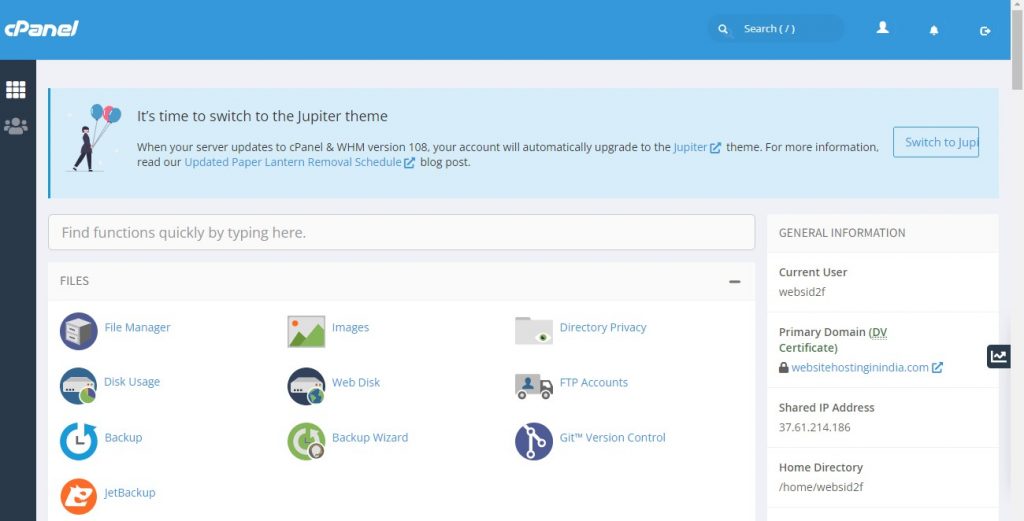


To open the file manager, click on File Manager in the Files section. It will open a new tab and once you are in File Manager, you will see a Dashboard like this. cPanel File Manager gives you a lot of flexibility for Navigating within your files. You can use file manager for following tasks.